One libraryЕдиная медиатека
Tracks from the bot, search and links live in one place: playlists, favorites and listening history.Треки из бота, поиска и ссылок живут в одном месте: плейлисты, избранное и история прослушивания.
Personal music · Instant access · A beautiful playerЛичная музыка · Быстрый доступ · Красивый плеер
Your music. Closer.Твоя музыка. Ближе.
Collect your music, listen in one library and save it offline — in a calm player. Available on the web, as a PWA, on Windows and on Android.Собирай свою музыку, слушай в единой медиатеке и сохраняй офлайн — в спокойном плеере. Есть веб, PWA, Windows и Android.
AboutО продукте
Lumi Music is where your music lives close by: send tracks, tidy them up and listen in one calm player — online and offline.Lumi Music — место, где твоя музыка живёт рядом: отправь треки, наведи порядок и слушай в одном спокойном плеере — онлайн и офлайн.
Tracks from the bot, search and links live in one place: playlists, favorites and listening history.Треки из бота, поиска и ссылок живут в одном месте: плейлисты, избранное и история прослушивания.
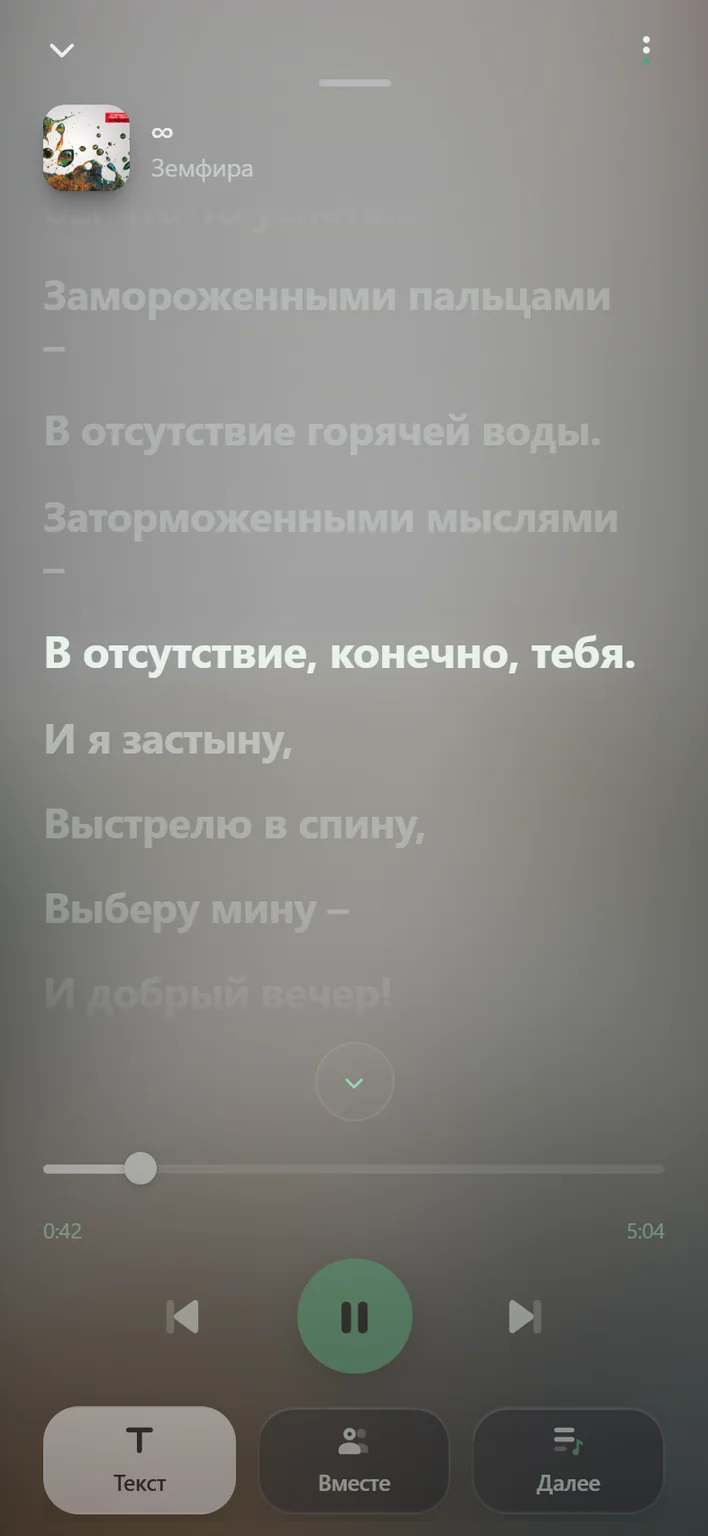
The current line lights up and scrolls with the sound — on phone and on Windows.Строка песни подсвечивается и едет вместе со звуком — на телефоне и в Windows.
Personal radio tuned to your taste — just press play.Персональное радио по вкусу — включи и слушай.
A shared listening room with chat.Общая комната для прослушивания с чатом.
Save tracks and listen without a connection.Сохраняй треки и слушай без сети.
Dark and light themes, and the colors adapt to the cover of the playing track.Тёмная и светлая темы, а цвета подстраиваются под обложку играющего трека.
PlatformsПлатформы
Bot, web, PWA, Windows and Android.Бот, веб, PWA, Windows и Android.
Upload tracks to the catalog.Загрузка треков в каталог.
Open the botОткрыть ботаWeb player and library.Веб-плеер и медиатека.
Open in browserОткрыть в браузереOn your Home Screen, offline.На экран «Домой», офлайн.
How to addКак добавитьVersion 0.2.0: window, tray and mini player.Версия 0.2.0: окно, трей и мини-плеер.
DownloadСкачатьVersion 1.1.3: notification player with a heart button, Android 8+. Installs from an APK file.Версия 1.1.3: плеер в шторке с кнопкой «в избранное», Android 8+. Ставится из APK-файла.
Download APKСкачать APKFlowСценарий
Four steps from a file to listening.Четыре шага от файла до прослушивания.
Upload a track to the Lumi bot — it takes the file and prepares the card.Загрузи трек боту Lumi — он примет файл и подготовит карточку.
Set the title, artist and cover — get the card in order.Укажи название, артиста и обложку — приведи карточку в порядок.
Add the track to your library and save it for offline listening.Добавь трек в медиатеку и сохрани для офлайн-прослушивания.
Open Lumi or the PWA and listen in a beautiful player, wherever you like.Открой Lumi или PWA — и слушай в красивом плеере где удобно.
FAQ
Open @lumisound_bot, upload a track or go to Lumi. On iPhone you can add the PWA to your Home Screen and listen offline.Откройте @lumisound_bot, загрузите трек или зайдите в Lumi. На iPhone можно добавить PWA на экран «Домой» и слушать офлайн.
Yes. Download Lumi 0.2.0 for PC — a separate window, tray, mini player and song lyrics. Sign in with Telegram, as on the web.Да. Скачайте Lumi 0.2.0 для ПК — отдельное окно, трей, мини-плеер и текст песни. Вход через Telegram, как в веб-версии.
Yes. Download Lumi 1.1.3 for Android (APK, Android 8 or newer). Open the file on your phone and allow installing from this source. The notification player has pause, track switching and a favourites heart.Да. Скачайте Lumi 1.1.3 для Android (APK, Android 8 и новее). Откройте файл на телефоне и разрешите установку из этого источника. Плеер в шторке: пауза, переключение треков и кнопка «в избранное».
No. Sign in with Telegram — no separate registration. The Windows desktop app signs in with Telegram too.Нет. Вход через Telegram — без отдельной регистрации. Десктоп для Windows тоже входит через Telegram.
News — @lumi_music. Questions — @mayorall.Новости — @lumi_music. Вопросы — @mayorall.